Fix assistant
An evaluation tells you where your agent goes wrong. The fix assistant finds out why and proposes a change, with measured results instead of a guess.
Start a session
Open an evaluation, go to Evaluation Result, choose the config version to start from and click Fix. The session runs on the platform, so you can close the page and come back later. Everyone with access to the agent sees the same session, and an evaluation has one session at a time.
What it does
The assistant works in rounds, and you can follow every step live in the session's timeline:
- It reads the errors: every wrong value of your version, per field.
- It looks at runs behind the errors: their input, tool calls and response.
- It writes down a hypothesis: the pattern it sees, the inputs that show it, and the fields a change should improve.
- It tries a proposal on every input of the evaluation and compares the outcome with your version, field by field: which inputs got fixed, which regressed, and what one run costs.
- It repeats with a better idea, until it can't improve the result any further.
A proposal changes the task and its instructions first. When that can't fix an error, it can also change the model or its settings: a higher media resolution when small print gets misread, more thinking or a stronger model for reasoning mistakes.
Accuracy comes first, then cost. The assistant tries the cheapest change that addresses a cause before a more expensive one, and of two equally accurate proposals it puts forward the cheaper one. The same accuracy at a lower cost per run counts as an improvement too. When the best accuracy costs more per run, its summary says so, so you can make that trade-off yourself.
How a proposal is tried
- On the platform, with the same inputs and attachments as your version's runs, and the same model settings unless the proposal changes them.
- Tool calls get the results recorded in the original run, so your own systems are never called. An input where the changed agent calls a tool differently can't be scored and counts as wrong. That's why proposals don't change your tools or your output type.
- Trials aren't saved as runs, so they don't show up in your run list or create config versions.
When it needs you
The assistant pauses and waits for you in two cases:
- It has a question. Some errors depend on knowledge only you have, like whether two spellings of a company name mean the same company. It continues once you've answered.
- It wants to change the evaluation. Sometimes the evaluation is wrong, not the agent. When
Garage Jansenis extracted andGARAGE JANSENwas expected, the fix is a value normalizer that ignores case, not a new prompt. The assistant explains its reasoning, and the platform applies the change only when you approve.
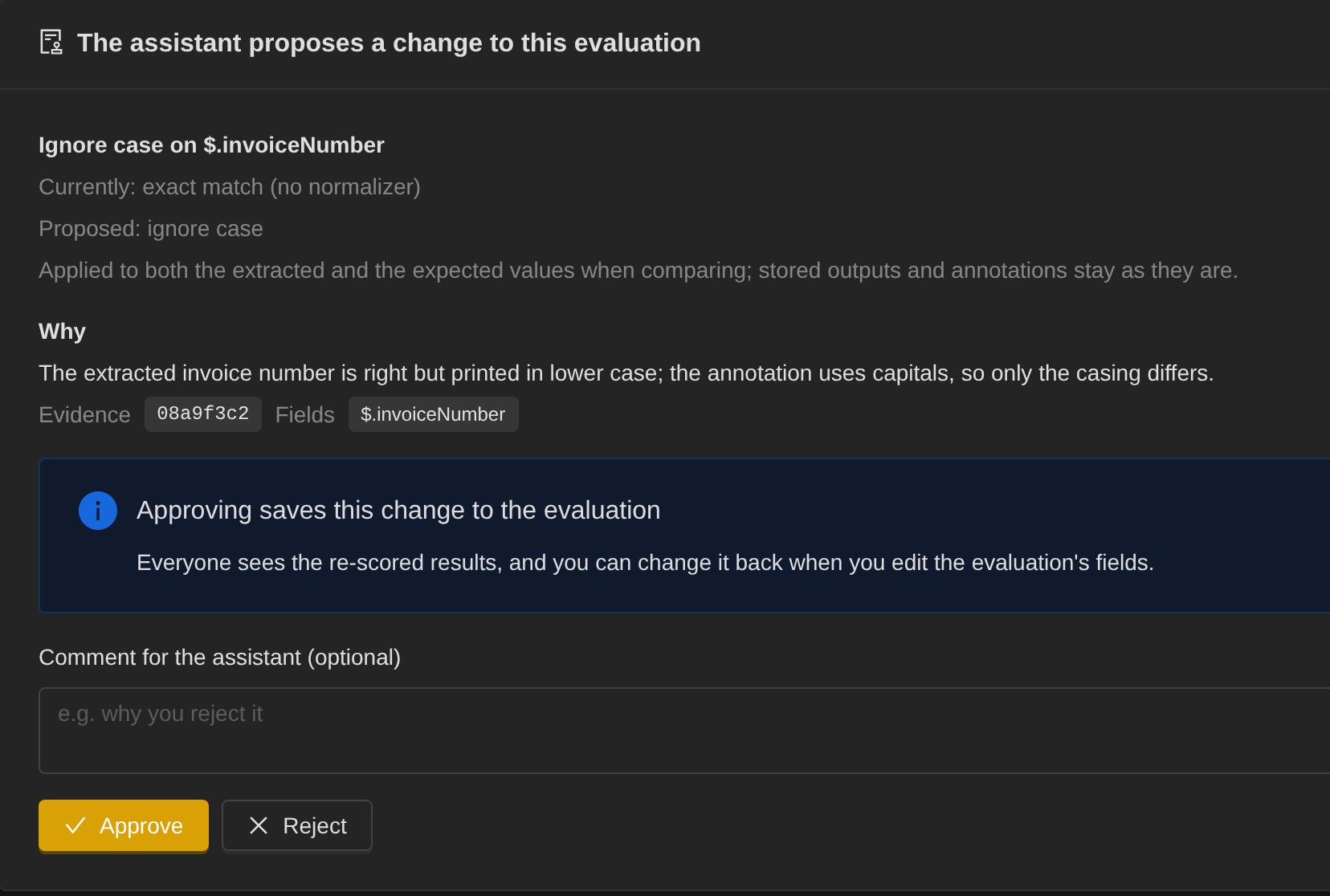
You can stop a session at any time.
The result
When the assistant is done, the session page shows:
- a summary of what it changed and why;
- the accuracy per field of your version next to the proposal's;
- the difference between your config and the proposed one;
- the cost per run, before and after;
- the proposed task, and the model when it changed, as Aigentic Kotlin code you can paste into your agent;
- the errors it couldn't fix, and why.
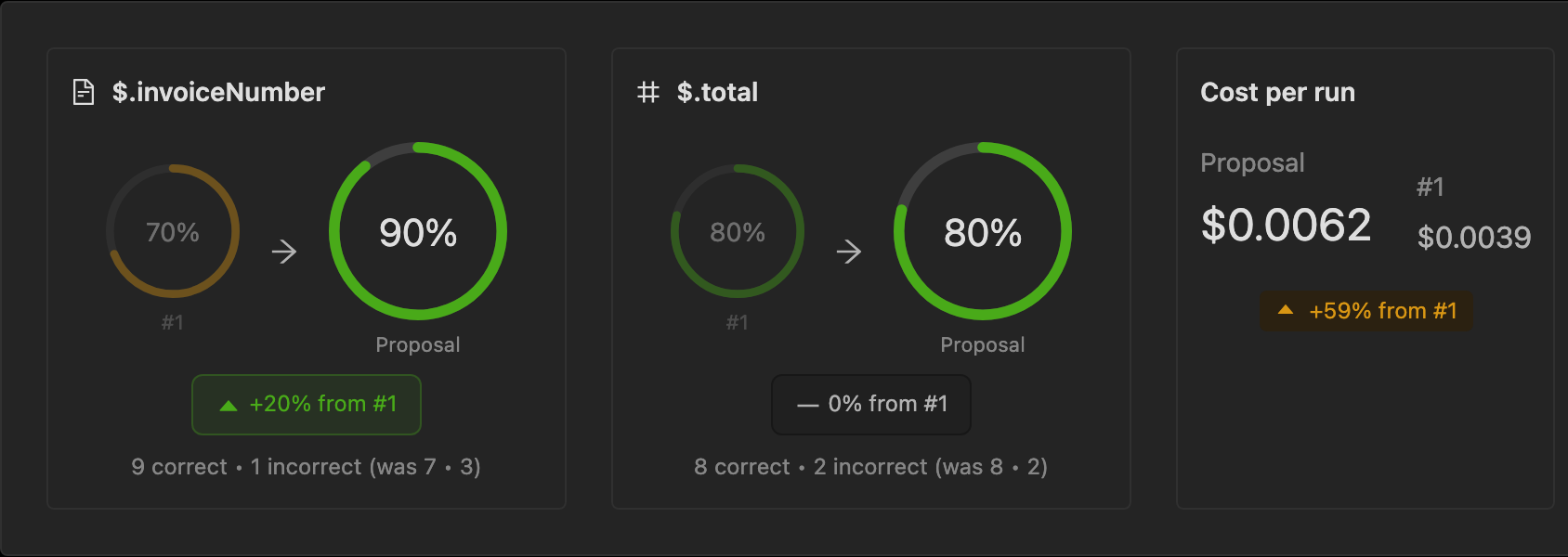
The platform never changes your agent. Copy the proposal into your code, deploy it, run it on the evaluation's inputs and compare the two versions. That comparison uses your real agent, with your real tools.
Good to know
- Gemini only. Proposals are tried on Gemini, so the version you start from must run on a Gemini model. Your evaluation's inputs, attachments included, go to Gemini through the platform.
- An output type is required. Proposals are scored on the JSON your agent returns, so it needs an output type:
agent<Input, Output>. - No spending limit per session. The session page shows what it has cost so far, and you can stop it whenever you want.
- Sessions aren't stored yet. When the platform restarts, a running session stops and you start a new one.